Apple-native
The same shortcuts can work on Mac, iPhone, and iPad.
Configure a trigger prefix, add the details you reuse, pick the shortcuts
you want, and export a Text Substitutions.plist for import on your Mac.
The same shortcuts can work on Mac, iPhone, and iPad.
We do not save what you type.
Import it there once, then use it across your Apple devices.
Step 1
Start with the shared prefix every shortcut will use, then add only the details you actually reuse.
Step 3
Start with the defaults, then switch off anything you do not want, rename the trigger, or rewrite the expanded text.
Add your own
Step 4
| Trigger | Expanded text | Category |
|---|
Step 5
Text Substitutions.plist onto Text Replacements, then click Done if prompted.Imports add the shortcuts from this file to your Mac. After you add them there, Apple can sync the text replacements to your iPhone and iPad with iCloud Drive.
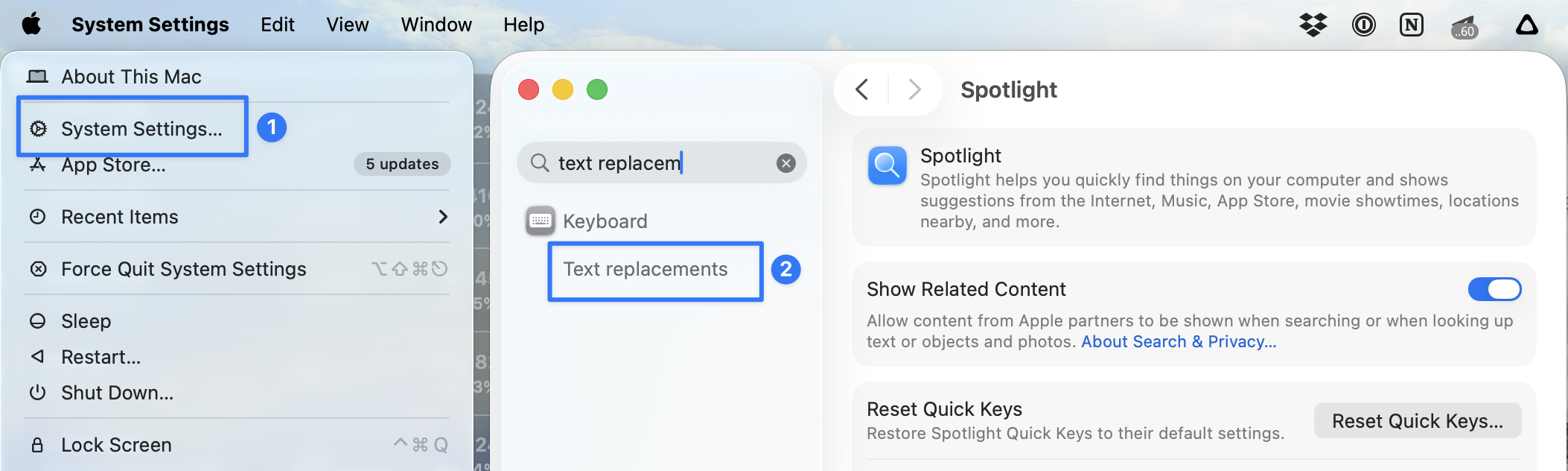
Text replacements in System Settings if you
do not want to click through the menus.
Manage packs
Packs are additive. Toggle as many as you want; your details and custom rows stay either way.